RaceData2
Real-time data display designed by sailors, for sailors
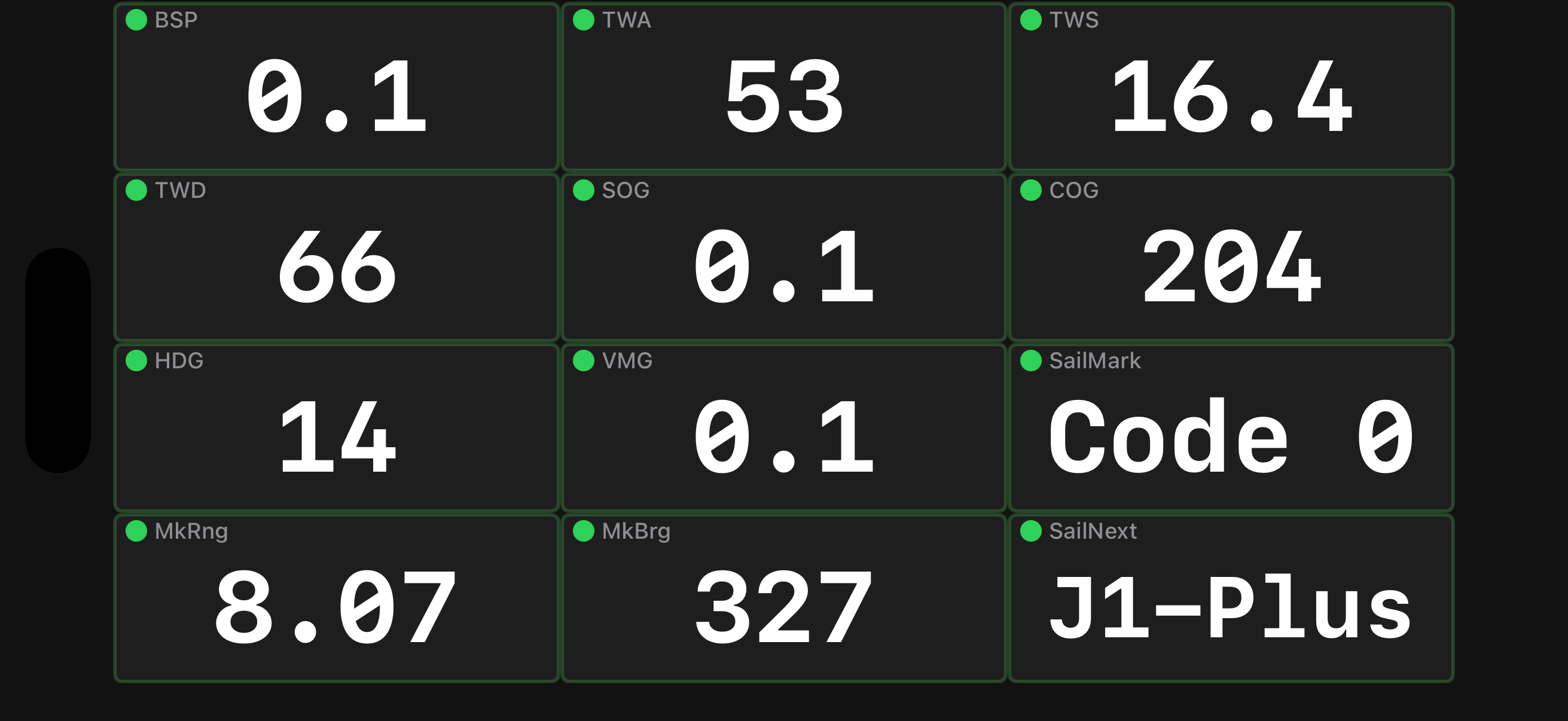
View any Expedition channel including custom User channels with automatic name detection. Works with Expedition Navigation Software, A+T, iDataNet (SailingPerformance) and any NMEA0183 source.
RaceData3
Real-time data display for Apple Watches
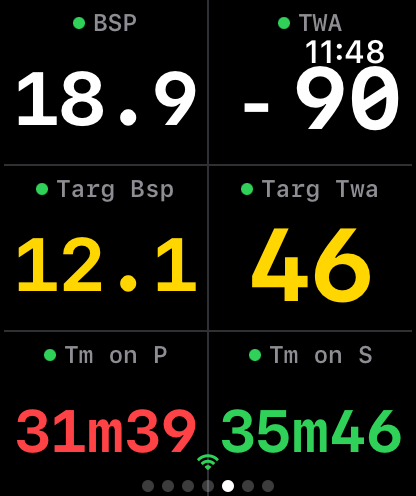
View any Expedition channel on your Apple Watch. Just like RaceData2, but for crew
Sailing data in your hand or on your wrist

RaceData
WearOS app for Android watches.
Expedition, A+T and NMEA0183.
RaceData2
iPhone/iPad/iWatch bundle. Android phone/tablet.
Apple Watch data via paired iPhone OR direct WiFi via Windows RaceData3 Bridge app (Expedition only).

RaceData3
Apple Watch.
Data over WiFi with the Windows RaceData3 Bridge app (Expedition only).
Real-Time Data
View Expedition, A+T, iDataNet and NMEA0183 sailing / instrument data.
Race Commands
Control Expedition remotely. Set Events, Ping start marks, race timer, mark management, W/L course setting and MOB.
Multiple Layouts
Pre-set and customisable grid layouts up to 3×5. Multiple pages with swipe navigation.
Watch Support
Apple Watch and WearOS supported.
Data on your wrist without phone tethering.
Performance Graphs
Track multiple channel trends with MA and EMA lines.
Adjustable time windows from 1 to 30 minutes.
Day & Night
Dark theme optimised for sailing.
Screen 'always-on' options keeps data visible.
Get started in minutes
Download the app
Available on iOS and Android. Free to try with basic features.
Connect to WiFi
Join the same network as your Expedition computer.
Start sailing
Data streams over WiFi. Customise your display and go sailing.
Pricing
Android and Apple apps work with limited functionality without subscription
RaceData2 for iPhone/iPad & watch
- ✓ All available channels
- ✓ Multiple pages & layouts
- ✓ Real-time graphs & trends
- ✓ Racing commands & marks
RaceData3 for Apple Watch
- ✓ No iPhone tether required
- ✓ Watch-optimised layouts
- ✓ Touch screen lock
- ✓ Sailing Session activity
Resources

Frequently asked questions
RaceData is the standalone Android WearOS app for Android Watches. Receives UDP data directly from Expedition, A+T and NMEA0183.
RaceData2 is the phone/tablet app (Apple and Android), for displaying data, graphs and to control Expedition. Receives UDP data directly from Expedition, A+T, iDataNet (SailingPerformance) and NMEA0183. The Apple version includes the Apple Watch app that can display data from a tethered iPhone OR untethered via the RaceData3 Bridge app for Windows.
RaceData3 is the standalone Apple Watch App. It is installed via an iPhone app that manages the subscription only. It receives data from Expedition via the RaceData3 Bridge app for Windows.
RaceData and RaceData2 receives data over WiFi from Expedition's UDP broadcast. Your phone/watch needs to be on the same network as your navigation computer. It can also receive data from any NMEA0183 source via a WiFi gateway.
RaceData3 receives data over WiFi from Expedition via the RaceData3 Bridge app for Windows.
Although designed to work best with Expedition, other options are available:
• RD: Expedition, A+T, NMEA0183
• RD2: Expedition, A+T, iDataNet (SailingPerformance) and NMEA0183.
Apple Watch: Paired: per RD2, Standalone: Expedition only
• RD3: Expedition only
The annual subscription includes the phone/tablet app, the WearOS watch app, all layouts and themes, and all updates. There are no additional in-app purchases.
The phone apps have limited functionality (basic 2x2 grid, limited channels, no graphs, no commands) until subscribed.
RaceData
The original sailing data display
The predecessor to RaceData2. Still supported for existing users, but new users should choose RaceData2 for the latest features and improvements.
Key features
Real-Time Data
Live navigation data from Expedition via UDP.
WearOS Support
Basic watch layouts for on-wrist viewing.
Custom Layouts
Configure which data fields to display.
Frequently asked questions
New users should choose RaceData2. It has more features, better performance, and supports iOS in addition to Android. RaceData is maintained for existing users but is no longer actively developed.
Yes, simply install RaceData2 and configure it with your network settings. Your RaceData subscription is separate, so you'll need to start a new subscription for RaceData2.
RaceData receives bug fixes and compatibility updates, but new features are being developed exclusively for RaceData2.